WATCH WATCHING SPORTS

AMERICAN BASEBALL WATCH

The full at-bat, at a glance.

Follow an MLB favorite or choose a game. Your Wear OS watch shows the score, inning, count, outs, bases, pitcher, batter, and your chosen batting stat in a dedicated Live View.
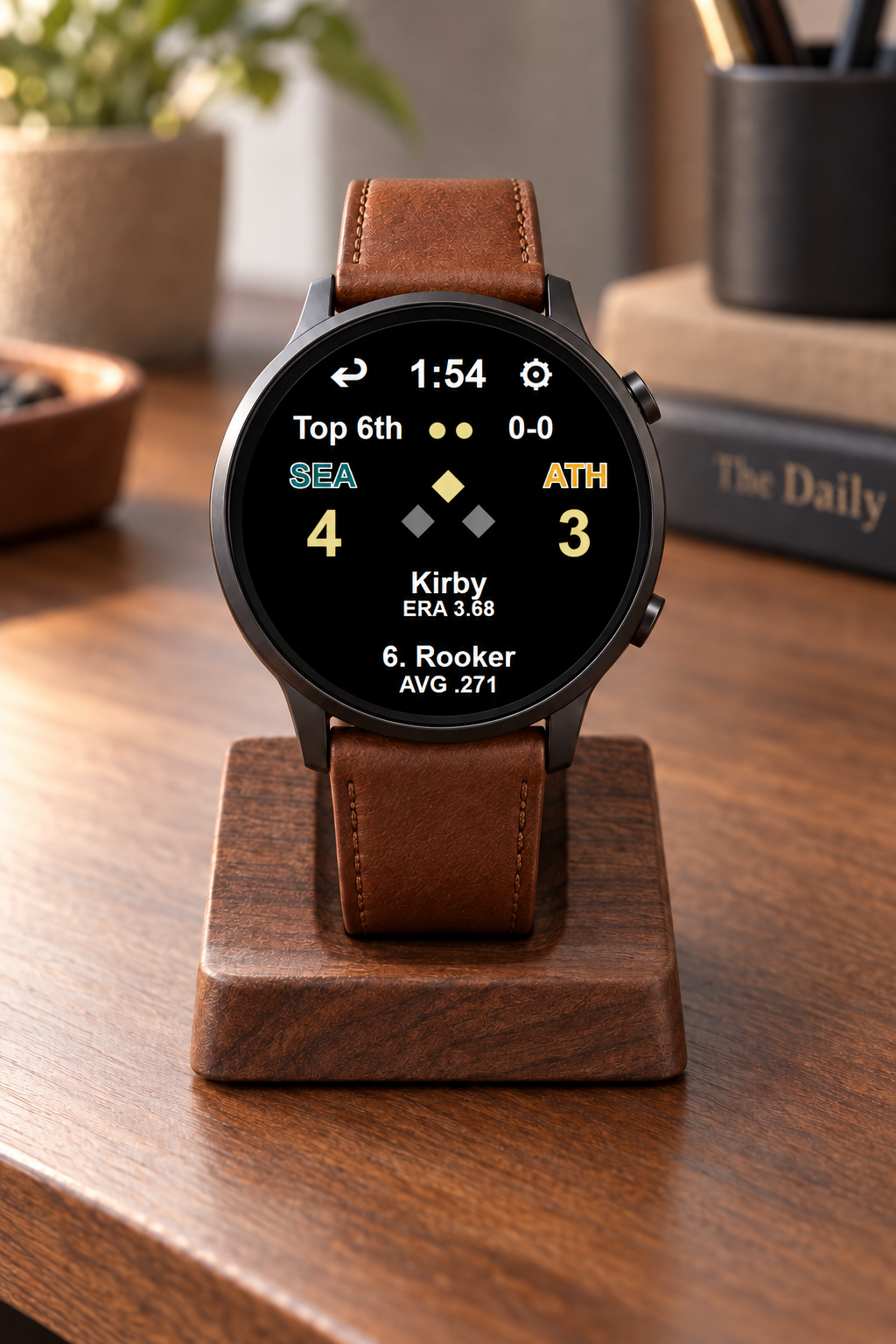
American Baseball Watch with a live baseball score displayed on a walnut desk stand with a fine brown leather band

BUILT FOR BASEBALL

Follow every pitch without pulling out your phone.

At-bat detail

Score, inning, outs, count, occupied bases, pitcher, batter, and a selected batter statistic stay together.

Choose your game

Automatically follow your favorite club, or select a live, upcoming, or final game manually.

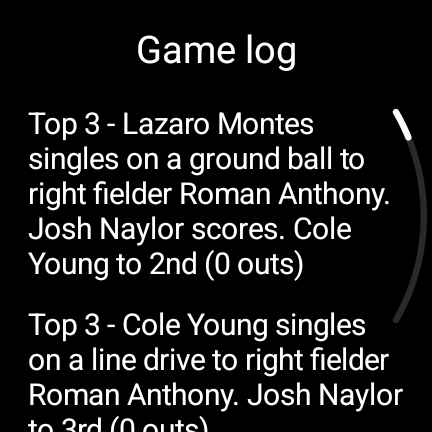
Game Log

Open the latest completed plays from Live View when you want the recent context.

LIVE, AMBIENT, AND GAME LOG

Three views from the same game, shown full size.

American Baseball Live View
Live View
American Baseball ambient score view
Power Saving Ambient View
American Baseball Game Log showing completed plays in a tied game
Game Log

EVERYDAY WATCH FACES

Choose Your Watch Face Between Games.

Between games, switch to a face that fits your day. These Wear OS faces keep time, heart rate, steps, distance, weather, date, and battery information readable at a glance on Google Pixel Watch and compatible Samsung Galaxy Watch models.
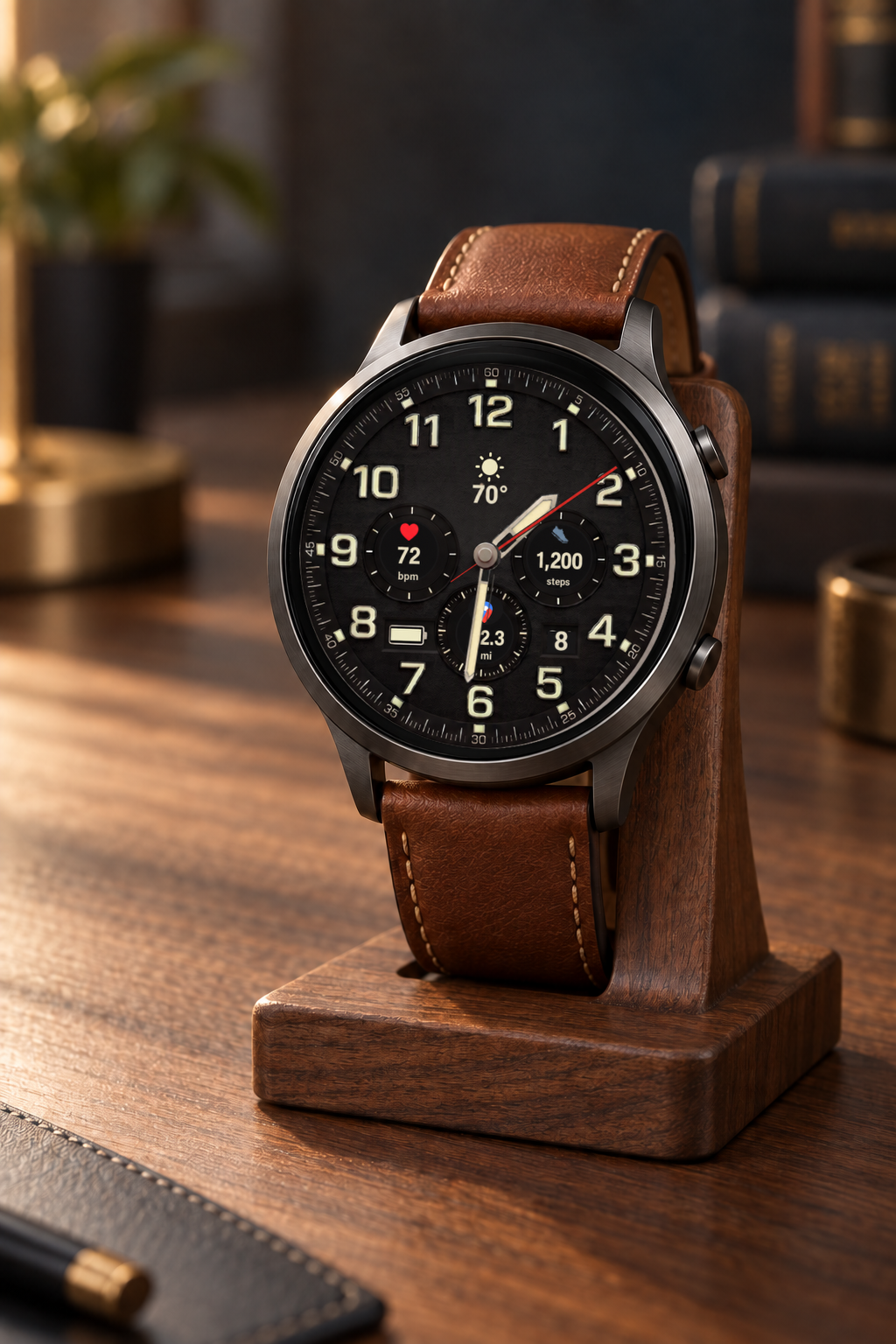
Explorer watchface showing sunny 70 degree weather, 72 bpm, 1,200 steps, and 2.3 miles on a premium watch displayed on a wooden stand

Field-watch character with live heart rate, steps, distance, date, weather, and separate interactive and ambient treatments.

QUICK START

Set up Baseball Watch from your watchface.

  1. Apply Baseball WatchIn the Wear OS watchface picker, select Android Baseball Watch and make it active.
  2. Enter Live ViewTap the center of the active face. With no game selected, Live View opens its setup state.
  3. Choose your MLB gameIn Live View, tap ⚙ Advanced to follow a favorite MLB club or select a specific live or upcoming game. Choose your automatic Live View and final-score preferences there.
  4. Follow the gameTap the center for Game Log. Tap ↩ to return to your everyday face; controls hide in ambient and return when the watch wakes.